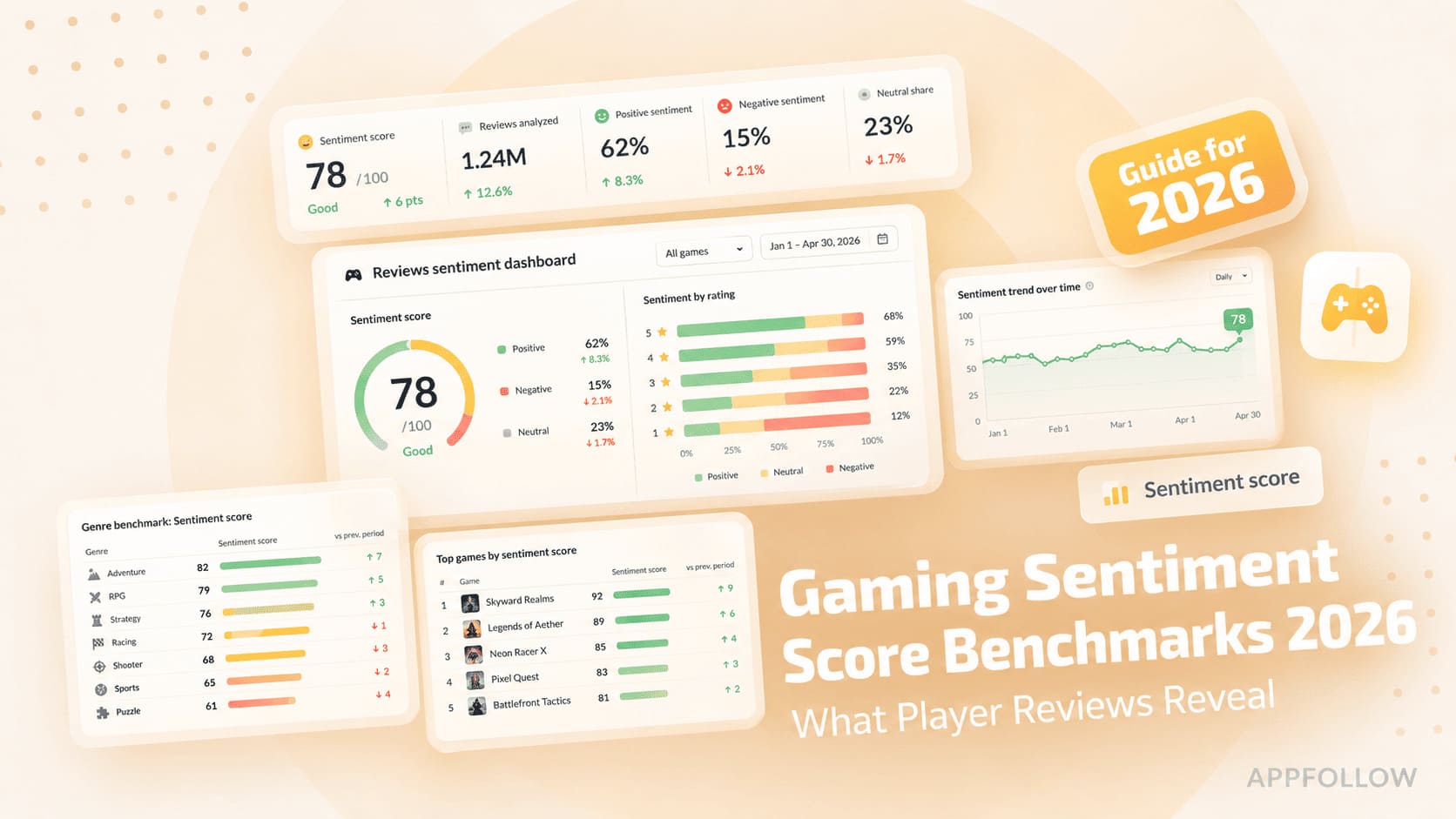
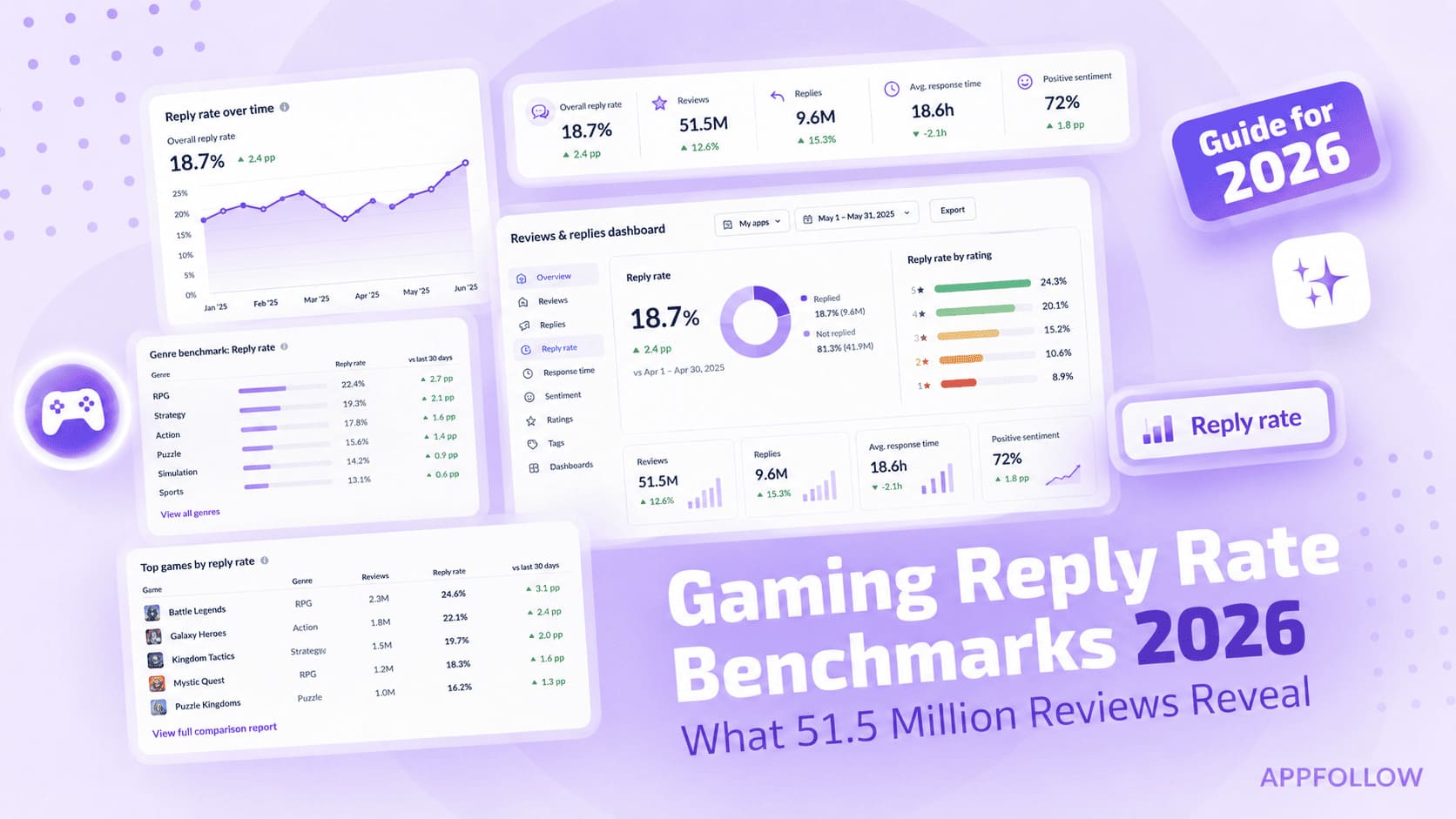
Ratings & Reviews performance provides an overview of what users think of your app. Here are the key metrics to help you identify how your app is rated by users and how successful is your review management strategy.
 4.7
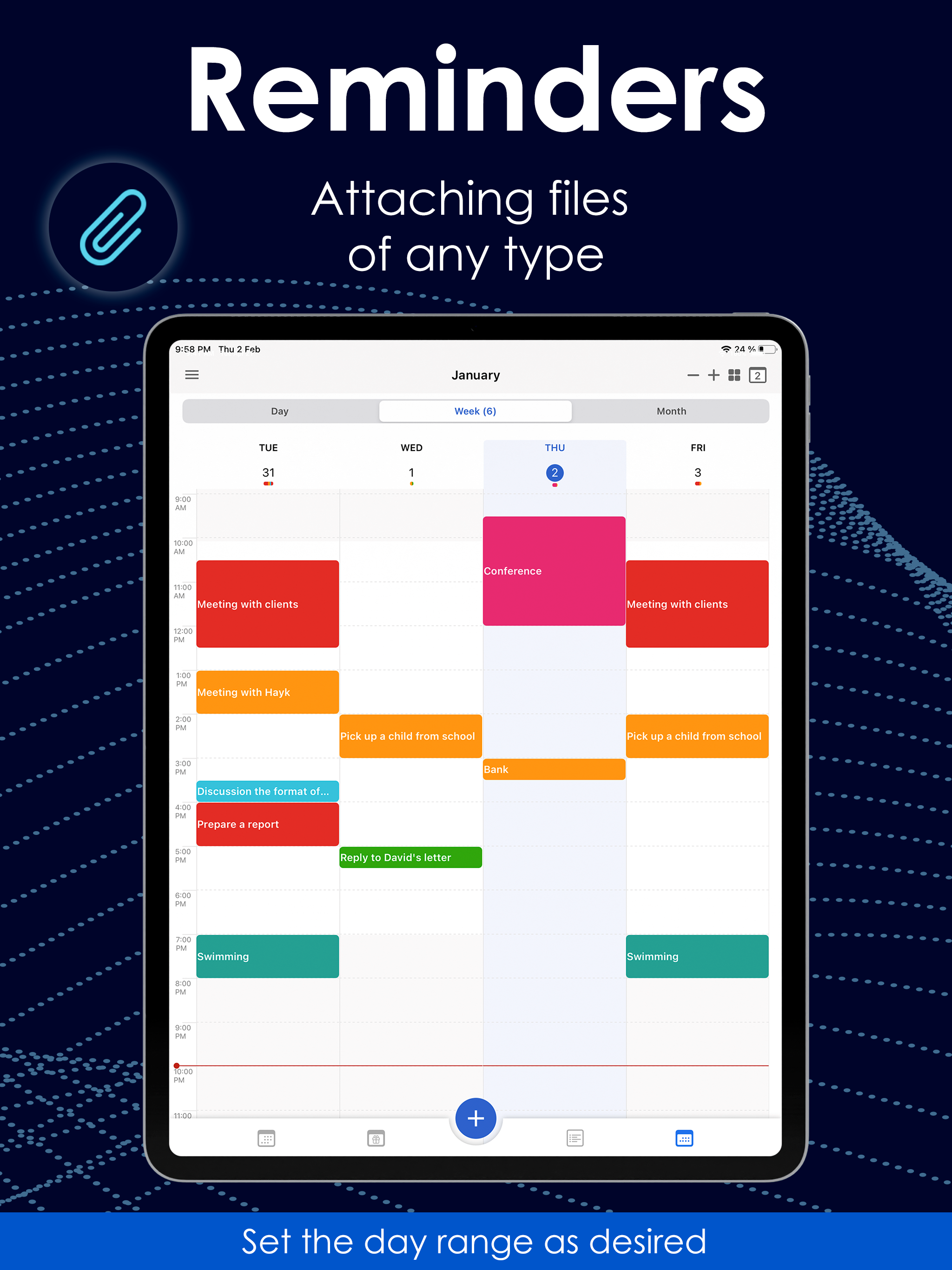
4.7MC Calendar is your all-in-one planner to organise days, weeks, months — and even your year. Built for your real-life schedule, it helps you manage time, tasks and thoughts in one clean interface that works the way you do. Custom Navigation Tailor the bottom menu to your needs by selecting icons for your most-used features. Your planning, your control. Daily Planner & Calendar Easily structure your day — online or offline. Sync with iCloud, Google, Outlook, Office365 and more. Drag & drop events, attach files, send invites, print your agenda, and even create voice events. Switch between daily, weekly, monthly or yearly views. Tasks & Reminders Create tasks and subtasks, turn them into calendar events and back again. Syncs with your device’s built-in Reminders app. Premium unlocks: private lists, recurring tasks, filters, and custom alerts. Notes Take quick notes — voice or text — draw, attach images, and convert notes into actionable tasks. Everything in one place: ideas, checklists, reminders. Interactive Widgets Access tasks, notes and events right from your home screen. Use voice widgets to add new items without typing. More Features: • Up to 5 private calendars • Full backup and restore • App lock for privacy • Share events, tasks and notes • Switch accounts while editing • Interface preferences to match your workflow All standard features are free. Upgrade to Premium for more advanced options — available as a monthly, yearly or one-time plan. MC Calendar brings together planning, productivity and peace of mind — in one smooth app. Download now and make every day count. Terms of Use: https://mccalendar.app/terms_of_use.html Privacy Policy: https://mccalendar.app/privacy_policy.html