Visage Ease
source

Visage Ease

(6)
Price
Free
Category
Medical
Last update
Mar 09, 2026
Publisher
Visage Imaging Contact publisher
View in store
Loading...

Ratings & Reviews performance

Ratings & Reviews performance provides an overview of what users think of your app. Here are the key metrics to help you identify how your app is rated by users and how successful is your review management strategy.

Number of reviews,
total
6
Avg rating,
total
⭐4.0
Loading...

User Reviews for Visage Ease

Why to reply to reviews?face_screaming

User reviews affect conversion to installs and app rating. Featured and helpful reviews are the first to be noticed by users and in case of no response can affect download rate.

Description

1401 chars

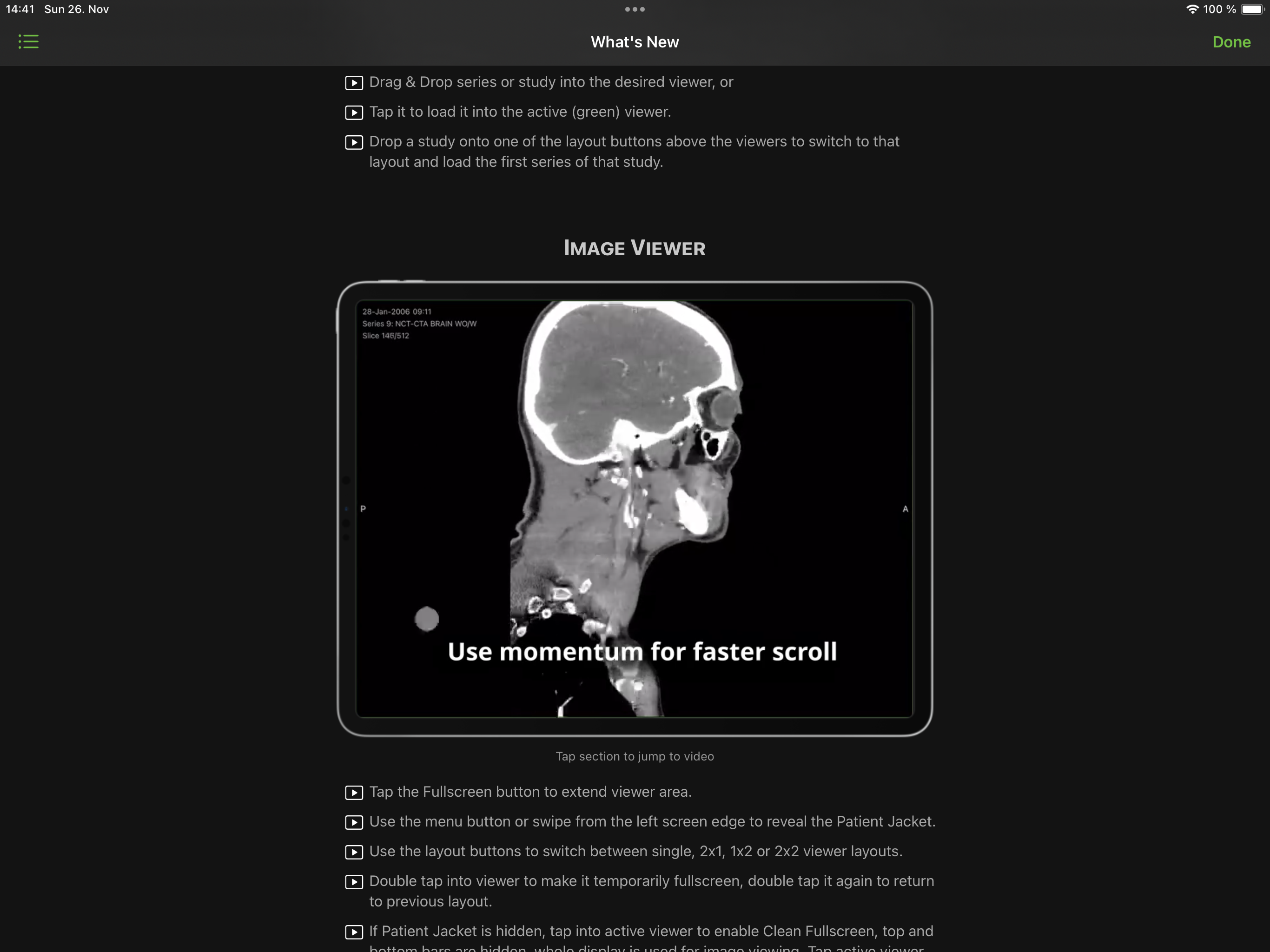
Using Visage Ease you can view radiologic images that are stored on a Visage 7 server on your iPad, iPhone, and iPod Touch. Please note that this app requires access to a Visage 7 server, e.g. in your clinic, practice, or via your radiology provider. Without access to a server, you will not be able to view any images. Visage Ease provides you with immediate server-based access to DICOM images without cumbersome image transfer. Use the app for patient education and for illustrating findings in the diagnostic report. Radiology providers use the Visage 7 server in conjunction with Visage Ease to provide their referring physicians with efficient access to key images as well as original images. Compared to printed film or patient CDs, the Visage 7 solution provides a much richer and much more efficient means of communication. Visage 7 is the world’s first diagnostic imaging solution based entirely on efficient thin client streaming technology. Visage scales easily from a single radiology practice to large distributed healthcare enterprises. Visage allows efficient viewing, processing, and archiving of very large amounts of images, including thin slice volumetric data from CT, MR, PET-CT, and other 3D modalities. The Visage Ease App is not a medical device and must not be used for diagnosis. A "Getting Started" document is available here: http://www.visageimaging.com/e-labeling

Screenshots

https://is1-ssl.mzstatic.com/image/thumb/PurpleSource126/v4/1b/cd/ec/1bcdecb2-d4d8-5878-9edf-2d56f8ae86eb/c0ec7069-cc52-442a-aba0-fe62ed89d8f0_iPadPro-2nd-Miller-VRT.png/2732x2048.pnghttps://is1-ssl.mzstatic.com/image/thumb/PurpleSource116/v4/6d/48/2d/6d482dd5-90c9-cd49-edfe-0fd027a059ff/6727a479-c101-4f50-8228-d09e2f4723a3_iPad_Pro__U002812.9-inch_U0029_-_CT-Abd-Curr-Prior-2x2.png/2732x2048.pnghttps://is1-ssl.mzstatic.com/image/thumb/PurpleSource126/v4/74/78/24/7478243b-858e-9612-0573-324ebde561cf/cb008522-415d-4c9e-b3c7-b2fbf5feba78_iPad_Pro__U002812.9-inch_U0029_-_Miller-MIP-VRT-2x2-CleanFS.png/2732x2048.pnghttps://is1-ssl.mzstatic.com/image/thumb/PurpleSource126/v4/b5/41/7b/b5417b3e-1a51-9a5d-23cf-e8b9db8ddadf/db532811-fcd4-44b3-bf20-abcca462f3c9_iPad_Pro__U002812.9-inch_U0029_-_MR-Brain-2x1.png/2732x2048.pnghttps://is1-ssl.mzstatic.com/image/thumb/PurpleSource116/v4/2e/be/9f/2ebe9f52-fa5d-4fc8-8ca4-e0da1fdfe4b0/69d29179-62c2-48aa-bc67-37b1912e2afd_iPad_Pro__U002812.9-inch_U0029_-_MR-Ankle-2x1.png/2732x2048.pnghttps://is1-ssl.mzstatic.com/image/thumb/PurpleSource116/v4/79/40/a1/7940a1b7-6798-3ebb-9d61-eae6102ddd8e/04a652c9-626d-4b6a-b985-269cfc70dd65_iPad_Pro__U002812.9-inch_U0029_-_XA-2x2-VoiceMemo.png/2732x2048.pnghttps://is1-ssl.mzstatic.com/image/thumb/PurpleSource126/v4/43/af/8e/43af8e72-f8bd-cd57-526b-b37cbd0815e3/efeeaeae-ee4d-41fa-8eec-cb4d062ef19b_iPadPro-2nd-QuickStartGuide.png/2732x2048.png
Loading...
Loading...

Find growth insights on our blog

React to user feedback and market trends faster