Ratings & Reviews performance provides an overview of what users think of your app. Here are the key metrics to help you identify how your app is rated by users and how successful is your review management strategy.
 4.2
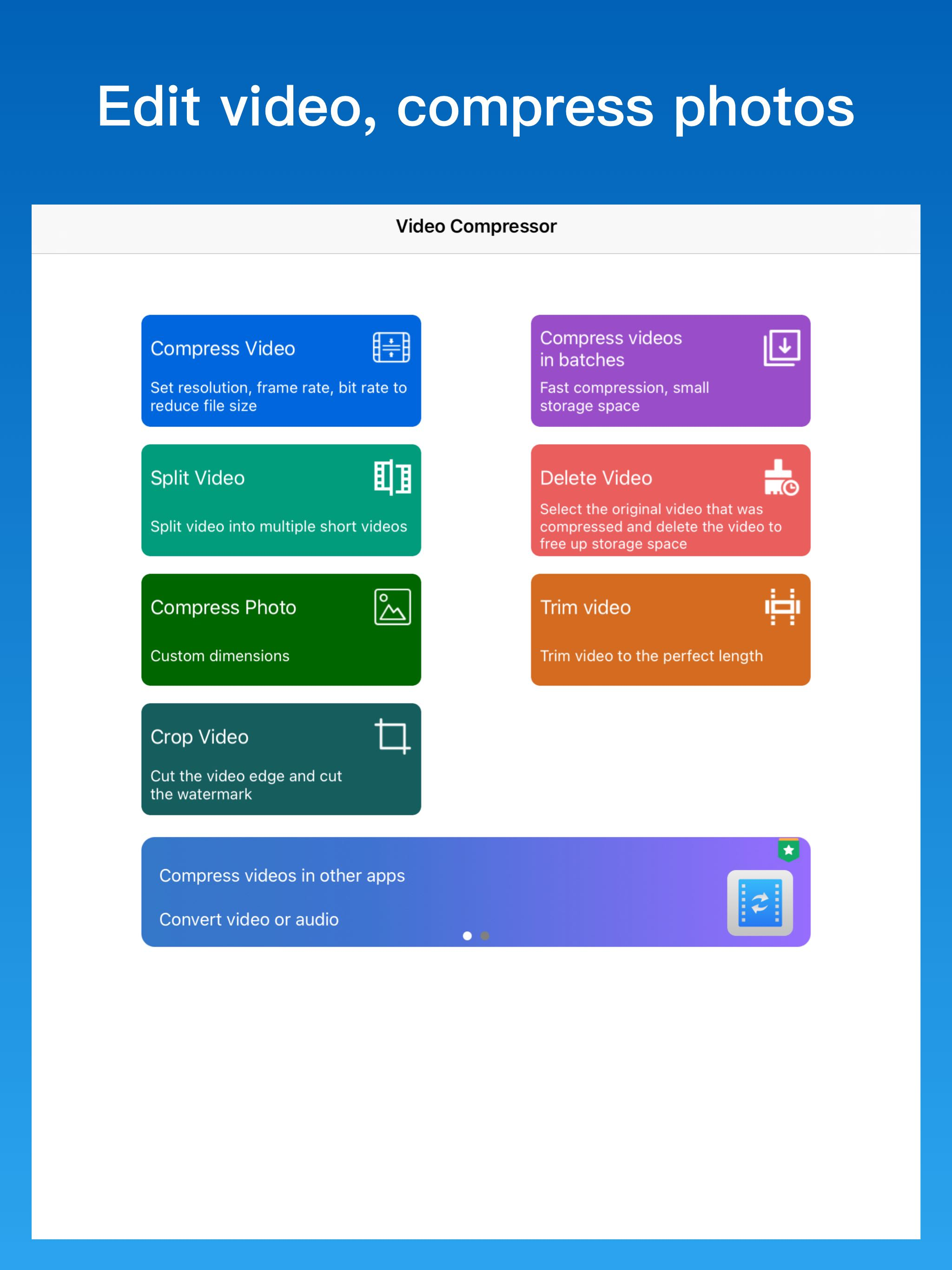
4.2Minska videostorleken med videokomprimeringsverktyget för att frigöra lagringsutrymme. Kompressor: Använd hårdvaruaccelerationsalgoritmen för att komprimera videon, komprimeringshastigheten är snabb och lagringsutrymmet är litet. - Ändra videoupplösning, bildhastighet, bithastighet för att minska videostorleken. - Det rekommenderas att använda en bildhastighet på 25fps, en upplösning på 720x1280 och en bithastighet på 1000kbps. - Minska videofilstorleken med minimal kvalitetsförlust. - Komprimera videor i omgångar, komprimera flera videor i ett steg. - Dela upp videon i flera korta videor för enkel sändning och delning. - Rengör enkelt albumvideor för att frigöra lagringsutrymme. Reduce video size with video compression tool to free up storage space. Compressor: Use the hardware acceleration algorithm to compress the video, the compression speed is fast, and the storage space is small. - Change video resolution, frame rate, bit rate to reduce video size. - It is recommended to use a frame rate of 25fps, a resolution of 720x1280, and a bit rate of 1000kbps. - Reduce video file size with minimal loss of quality. - Compress videos in batches, compress multiple videos in one step. - Split the video into multiple short videos for easy sending and sharing. - Easily clean up album videos to free up storage space. Contact us:junjie_ruan@163.com