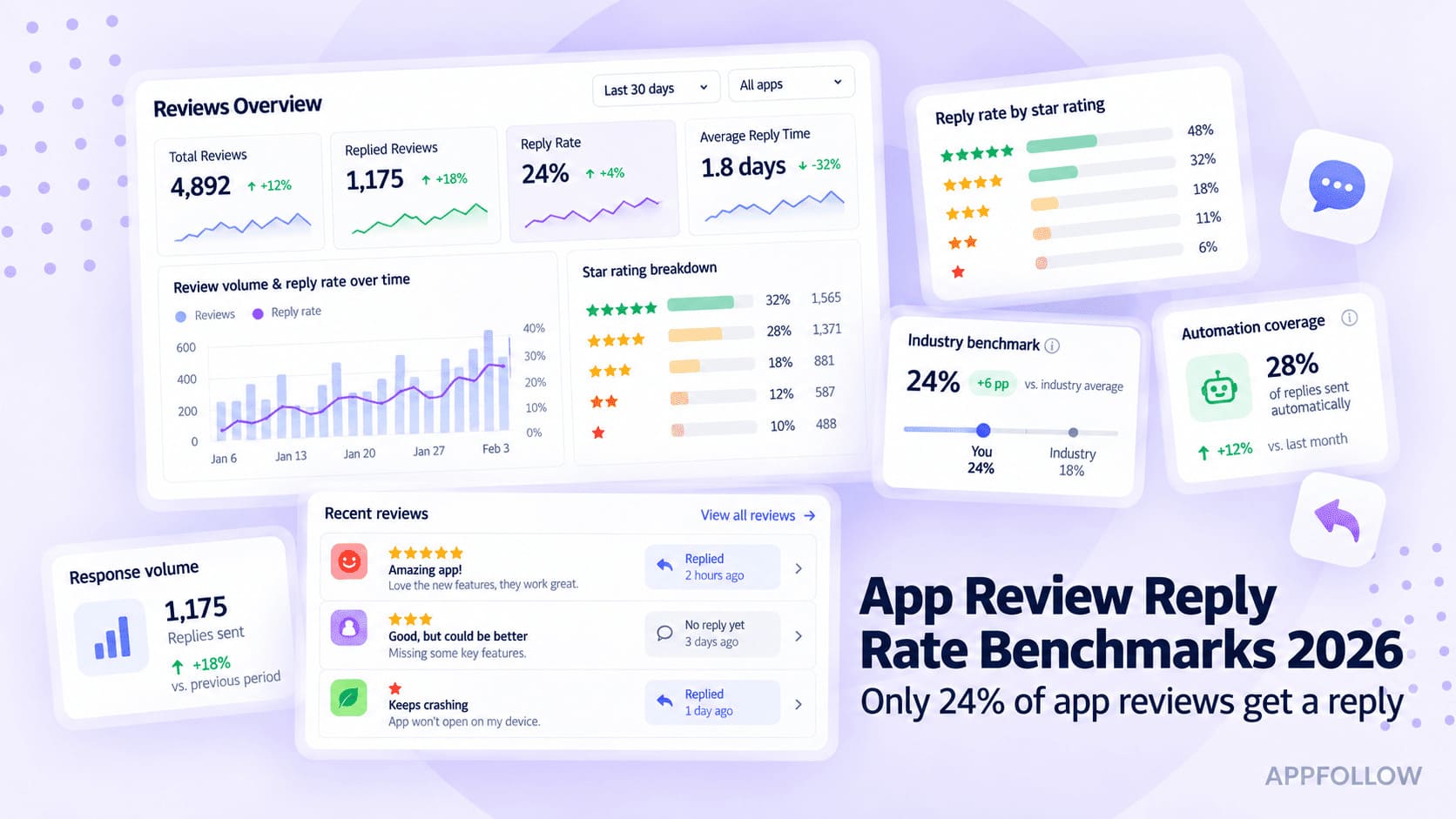
Ratings & Reviews performance provides an overview of what users think of your app. Here are the key metrics to help you identify how your app is rated by users and how successful is your review management strategy.
Transform Your Smartphone into a Universal TV Remote with Wi-Fi Control and Advanced Features! Streamline your TV experience with the TV Remote Control app! Control a wide range of TV brands including Roku, Hisense, Vizio, Fire TV, Android TV, Google TV, LG, Samsung, TCL, and more. Our app also includes convenient one-touch access to popular apps and the TV’s web browser, all through Wi-Fi. Key Features: Universal Compatibility: Seamlessly control Roku, Hisense, Vizio, Fire TV, Android TV, Google TV, LG, Samsung, TCL, and other major TV brands. Wi-Fi Connectivity: Ensure both your TV and device are connected to the same Wi-Fi network for smooth operation. Touchpad/Air Mouse Feature: Navigate your TV with precision using our built-in touchpad or air mouse functionality. One-Touch Access: Instantly open Netflix, Disney+, Apple TV, YouTube, Hulu, Spotify, and other popular apps, as well as the TV’s web browser. Effortless Setup: Connect to your TV quickly with straightforward and user-friendly setup instructions. Full Control: Adjust volume, change channels, switch inputs, and access settings directly from your smartphone or tablet. Ad-Free Premium Mode: Upgrade to premium for an ad-free experience and full functionality. Why Choose TV Remote Control? One App for All Your TVs: Manage Roku, Hisense, Vizio, Fire TV, Android TV, Google TV, LG, Samsung, TCL, and more from a single app. Intuitive Design: Enjoy a user-friendly interface designed for a smooth and enjoyable experience. Regular Updates: Benefit from new features and improvements based on user feedback.