


Ratings & Reviews performance provides an overview of what users think of your app. Here are the key metrics to help you identify how your app is rated by users and how successful is your review management strategy.
 5.0
5.0
User reviews affect conversion to installs and app rating. Featured and helpful reviews are the first to be noticed by users and in case of no response can affect download rate.
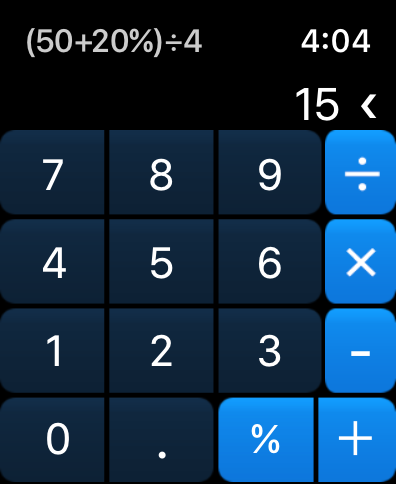
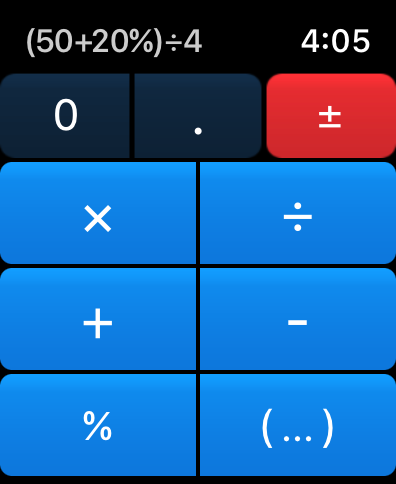
The goal for the Totalizer was to make a watch calculator that you'll always enjoy using. It has: + Big, easy to hit buttons, while keeping everything you need on a single screen. + Running total will update as you type, no need for the "=" button. + Perfect button responsiveness. + Instant launch time. + Full equation preview as you type. + Easily accessible "%" button, which I think is the most used feature for an app of this kind (to calculate a tip, a sale, or a price after tax). + Percent works as you'd expect it to: 200+10% = 220 100-10% = 90 + Has the secondary layout where the buttons are as big as possible, and the operators can be reached with a button press or a screen swipe. + One tap to add parentheses around the equation - just tap the running total number. + Complications are available for the quick app launch, and to display the last result. The above may sound obvious, but it took a lot of thinking, designing, adding, and subtracting to get there, which comes through when you start using it. If you have an idea how to make it even better - I'm listening! Privacy Policy: Totalizer does not collect or transmit any kind of data whatsoever.






![How to measure customer sentiment for app reviews [7 metrics]](https://cdn.appfollow.io/blog/static/appfollow_1335e02d-b0b3-49f7-9eb6-94171dc7e379.jpg)