Ratings & Reviews performance provides an overview of what users think of your app. Here are the key metrics to help you identify how your app is rated by users and how successful is your review management strategy.
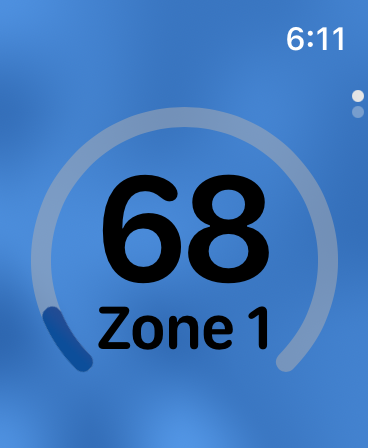
Simple Heart is a simple heart rate monitor! It visually shows the animation of your heart rate pulse and zone on your iPhone and on your Apple Watch. Simple Heart works with your paired Apple Watch or with your chest band sensor. HOW TO USE (2 options) 1. Install Simple Heart on your iPhone. Use it with your chest strap HRM sensor. Remember your HRM and your iPhone must be Bluetooth paired and connected. 2. Install it on your iPhone and your Apple Watch. In this case, you can use the app using your Watch as well as your iPhone. Note your Watch and your iPhone must be paired. Note the app will not run on an iPad. MORE INFO Simple Heart shows a beautifully animated color gradient that directly corresponds to your heart rate. As your heart rate changes during workout, the animation frequency speeds up or slows down to accurately match the beat of your heart rate. Timer allows you to set up, start, and complete your workout while observing their progress throughout the exercise. There are 5 heart rate zones, which are determined based on your age. Each zone is displayed with a distinct gradient coloration. As you transition between the zones, the color of the background animation changes: * Zone 1 (very light) -- Celestial Blue * Zone 2 (light) -- Bluish Green * Zone 3 (moderate) -- Yellow Green * Zone 4 (hard) -- Orange Brown * Zone 5 (very hard) -- Purple Red LEGALESE Simple Heart does not collect any of your personal data. Privacy Policy and Terms of Service documents: - https://www.javaresearch.net/privacy-policy - https://www.javaresearch.net/terms-of-service