Ratings & Reviews performance provides an overview of what users think of your app. Here are the key metrics to help you identify how your app is rated by users and how successful is your review management strategy.
 2.7
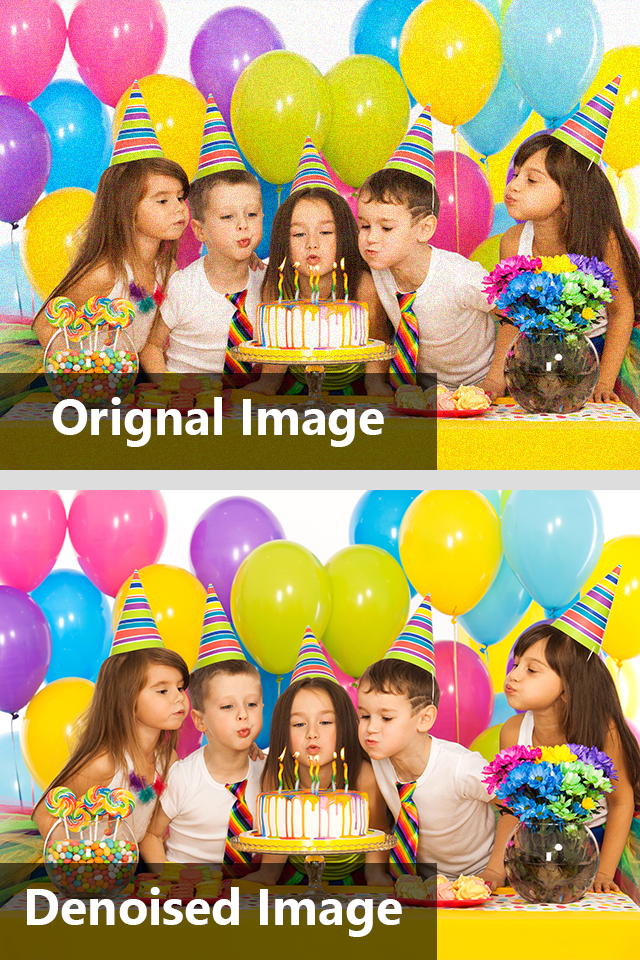
2.7Noise Reducer Pro is a perfect iOS photography app from Systweak Software, which can remove noise from your photos and smoothen them. Whether you’ve clicked photos in low light conditions, or with high ISO settings, or with a not-so-great camera, this photo noise reducer will fix grainy photos. Use this Systweak’s noise reduction app and enhance digital photos in no time! • Remove grain from photos. • Reduce noise from images. • Compare with original photos. What is image noise reduction? Noise is the digital distortion of images, the irregularly tinted pixels that destroy the quality of your photos, giving them a grainy appearance. Even high resolution cameras have limitations and may take pictures with noise. To reduce noise in photos, use Noise Reducer Pro now. Why install Noise Reducer Pro? Noise Reducer Pro can easily reduce noise in photos on iPhone. In a few steps you can effortlessly fix grainy photos. This is the best app for noise reduction in iPhone for comparing the Denoised photo with the original. • Noise Reducing Levels: There are three levels to remove noise: Light, Medium and Custom. Adjust the level of noise by sliding the custom bar as required. • Smooth Slider: You can adjust the smoothing level to get the best out of your picture and make it perfect. It is best suited for photos with tiny spots. • Comparison Panel: You can see the difference between your original image and denoised image with a touch before saving. It’s easy, right? • Click & De-Noise: You can click a picture using this App’s in-built camera option and de-noise it instantly. Steps to remove noise from photos - • Download Noise Reducer Pro. • On the home screen, go to the Gallery . • Select an image from Photos. • Select one from the options - Light, Medium, Custom. • Move the Smooth slider button for image enhancement. • Tap on Save. • Confirm the message. Get Noise Reducer Pro from Systweak Software for image noise reduction in iPhone to improve image quality.