Ratings & Reviews performance provides an overview of what users think of your app. Here are the key metrics to help you identify how your app is rated by users and how successful is your review management strategy.
 4.6
4.6
User reviews affect conversion to installs and app rating. Featured and helpful reviews are the first to be noticed by users and in case of no response can affect download rate.
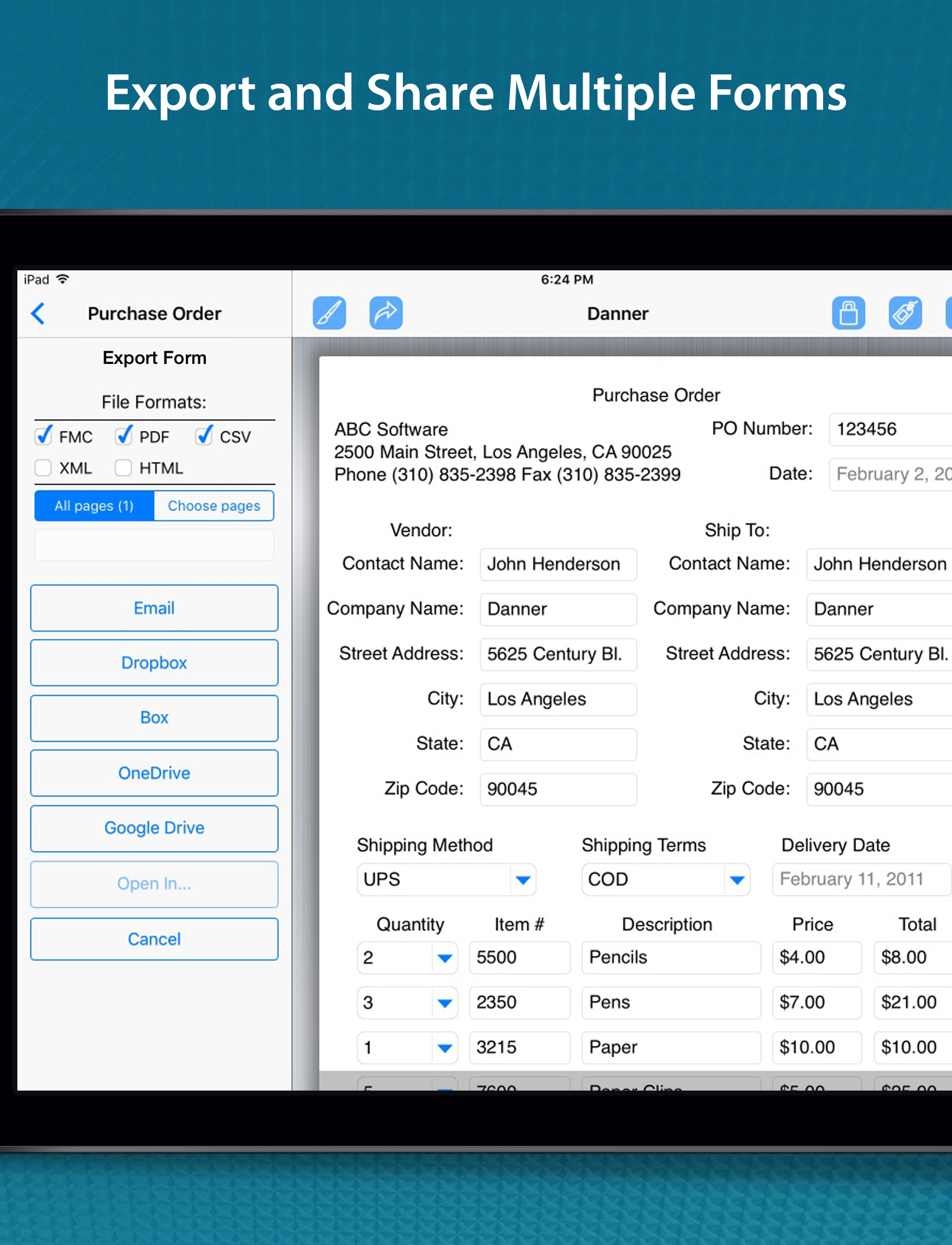
Stop drowning in paperwork! The FormConnect Pro app transforms your iPad and iPhone into a powerful mobile form solution eliminating the need for messy paper forms and tedious data entry. Design custom forms tailored to your exact needs, collect data offline, and seamlessly share information with your team. Boost productivity, reduce errors, and go green with the FormConnect Pro app! Designed for individuals and small businesses that need a versatile and efficient solution for data collection and organization. Key Features: • Customizable Form Templates: Create forms from scratch or use pre-built templates. • Multiple Field Types: (text, dates checkboxes, drop-down lists, radio buttons, signatures, photos, GPS). • Multiple Themes: (folder, clipboard, binders etc.) to change the look of the form (iPad Only). • Touch Input: Data input via touch or an external keyboard. • Signature Capture: Use your finger or a stylus. • Photo Capture: Take photos with your iPhone or iPad’s camera. • Photo Annotation: Annotate on top of photos. • Form Sharing: Share forms with other FormConnect Pro users. • Export Options: Email forms or upload them to Dropbox, Box, Google Drive or Microsoft OneDrive. • File Formats: Forms can be saved and exported in one or more of the following file formats: (PDF, CSV, XML, HTML, FMC). • Form Printing: Print forms to any printer that supports Apple’s AirPrint wireless protocol. • Pre-populate Fields: Auto populate data into fields when you open the form. • Auto increment: Auto generate a sequential number in a text field. • Text Formatting: (bolding, italicizing and coloring). • Field Alignment: (left, right and center). • Field Calculation: A spreadsheet type function for summing rows and columns. • Field Linking: Link fields together so that data entered into one field automatically populates another field. • Form Locking: Lock a filled out form from being altered. • Required Field: Specify fields on the form that must be filled out before the form can be saved. • Kiosk Mode: Locks the user interface to a specific set of functions. • GPS Data Capture: Display latitude and longitude coordinates. Terms of Use: https://www.formconnections.com/terms-of-use/ Privacy Policy: https://www.formconnections.com/about-2/privacy-policy/