FlashBuddy - Flashcards
source

FlashBuddy - Flashcards

(10)
Price
Free
Category
Education Productivity
Last update
Mar 09, 2026
Publisher
Oleg Mueller Contact publisher
View in store
Loading...

Ratings & Reviews performance

Ratings & Reviews performance provides an overview of what users think of your app. Here are the key metrics to help you identify how your app is rated by users and how successful is your review management strategy.

Number of reviews,
total
10
Avg rating,
total
⭐4.5
Loading...

User Reviews for FlashBuddy - Flashcards

Why to reply to reviews?face_screaming

User reviews affect conversion to installs and app rating. Featured and helpful reviews are the first to be noticed by users and in case of no response can affect download rate.

Description

1215 chars

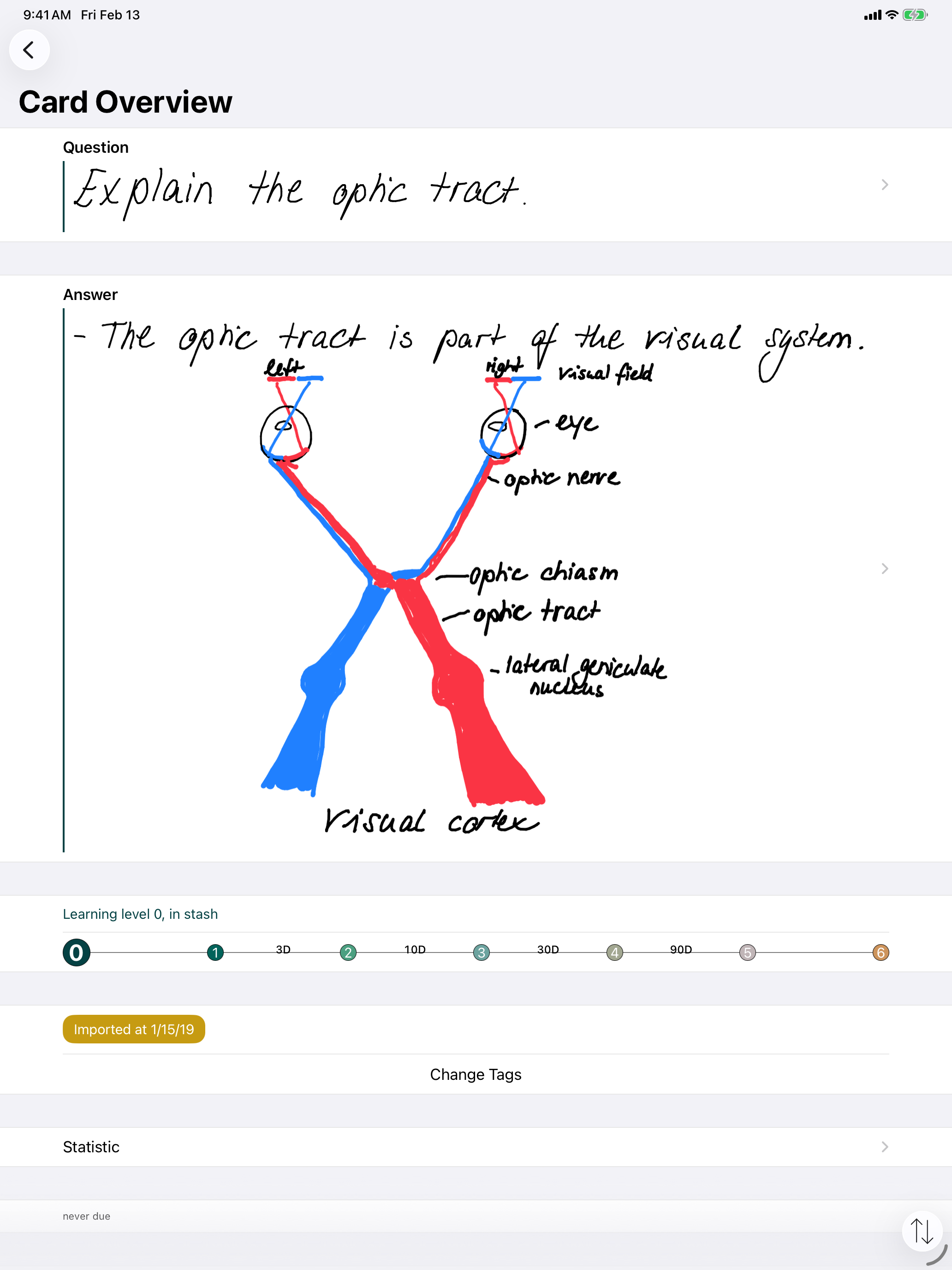
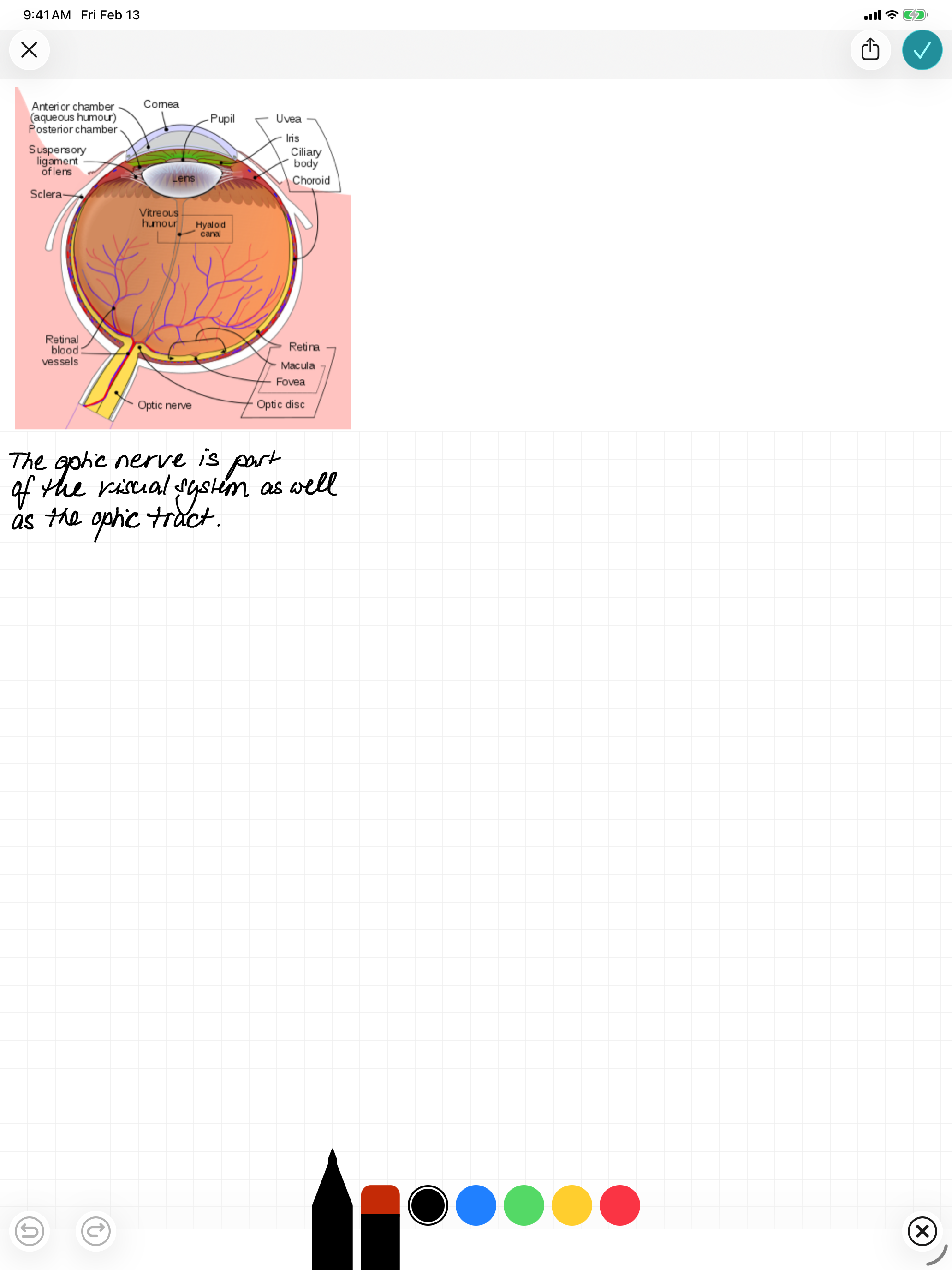
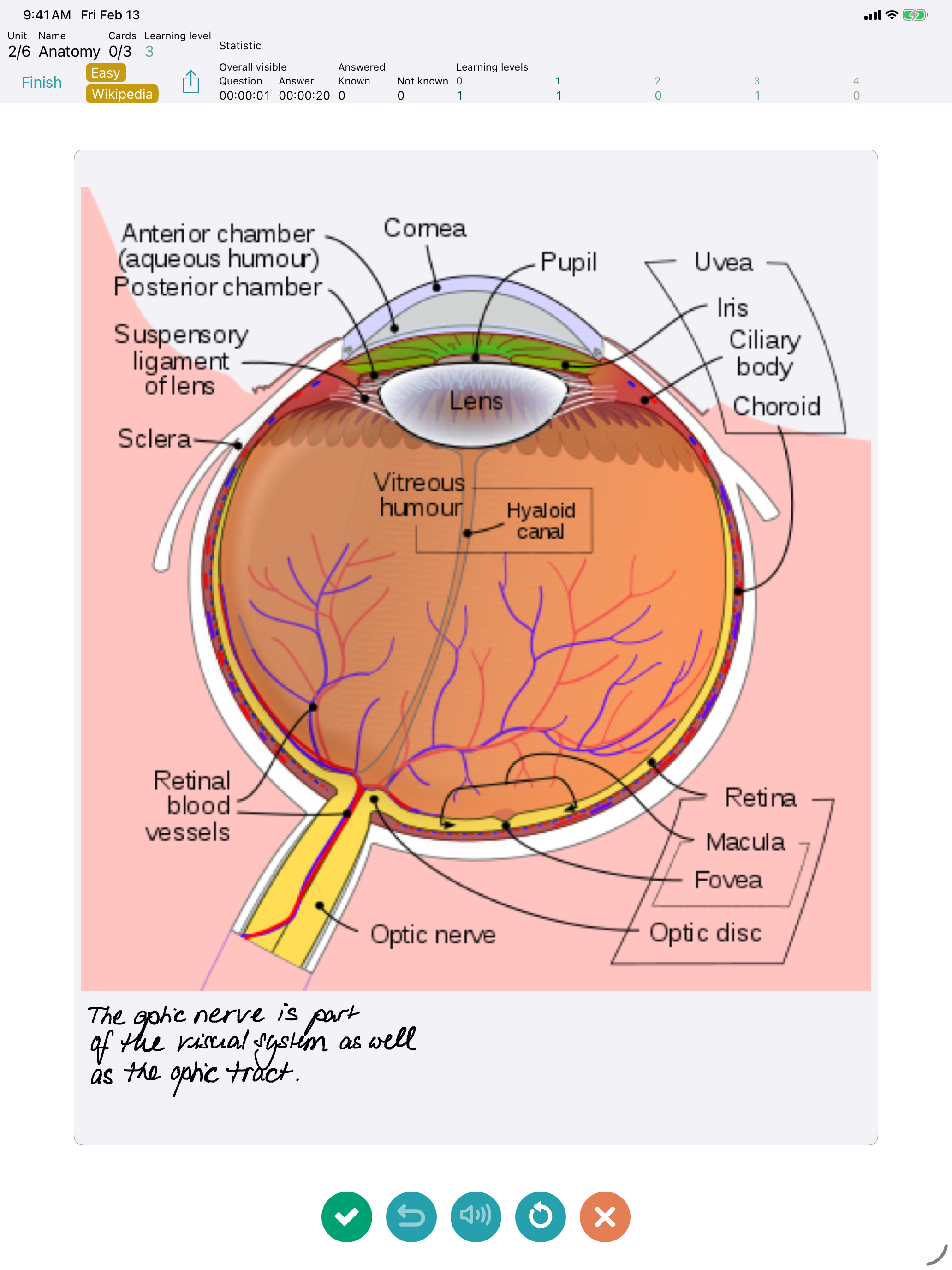
Learn vocabulary, prepare for exams, or retain knowledge — FlashBuddy makes studying with flashcards simple and effective. Smart Learning System • Spaced repetition — cards are reviewed at optimal intervals • Customize levels and intervals per subject • Daily reminders and due card count on the app icon badge Create Cards Effortlessly • Rich text editor with formatting and unlimited images • dict.cc import — search vocabulary and add as cards instantly • Wikipedia import — search articles and create flashcards • CSV and Markdown import from other apps (Anki, Quizlet exports, etc.) • Share cards with other FlashBuddy users — including layout and images Organize Your Knowledge • Subjects, topics, and tags for flexible structure • Study by subject, topic, or tag • Set exam deadlines — FlashBuddy shows remaining study days • Query by question, answer, or random More Features • Detailed statistics: progress, level distribution, success rate • Text-to-speech for vocabulary • Apple Pencil, Split Screen, Drag & Drop (iPad) • Keyboard shortcuts in editor and training • CSV and card export, backup function • Dynamic Type for optimal readability Free with up to 25 cards. Unlimited with in-app purchase.

Screenshots

https://is1-ssl.mzstatic.com/image/thumb/PurpleSource211/v4/c5/26/b5/c526b52b-7011-8fc8-df1b-34c1f62a9394/iPad_Pro_13-inch__U0028M5_U0029-01-StartScreen.png/2064x2752.pnghttps://is1-ssl.mzstatic.com/image/thumb/PurpleSource211/v4/ca/56/22/ca5622a0-331b-9185-63fe-b667ce142b77/iPad_Pro_13-inch__U0028M5_U0029-02-SubjectsScreen.png/2064x2752.pnghttps://is1-ssl.mzstatic.com/image/thumb/PurpleSource211/v4/bb/70/14/bb701485-c934-3f7d-9b05-f9edd50f895b/iPad_Pro_13-inch__U0028M5_U0029-03-SubjectScreen.png/2064x2752.pnghttps://is1-ssl.mzstatic.com/image/thumb/PurpleSource221/v4/f2/e0/f3/f2e0f33c-2a75-8ceb-a9d3-69cc7b42c1c0/iPad_Pro_13-inch__U0028M5_U0029-04-CardsScreen.png/2064x2752.pnghttps://is1-ssl.mzstatic.com/image/thumb/PurpleSource211/v4/6f/c0/a7/6fc0a728-eec3-59c2-07aa-910a4917270c/iPad_Pro_13-inch__U0028M5_U0029-05-CardScreen.png/2064x2752.pnghttps://is1-ssl.mzstatic.com/image/thumb/PurpleSource221/v4/a9/b8/36/a9b83657-7dfa-3e17-30c7-40dbfff8455d/iPad_Pro_13-inch__U0028M5_U0029-06-TextEditScreen.png/2064x2752.pnghttps://is1-ssl.mzstatic.com/image/thumb/PurpleSource211/v4/d2/b8/c9/d2b8c9f0-080e-faf6-c0ef-e1839a532221/iPad_Pro_13-inch__U0028M5_U0029-07-TrainingScreen.png/2064x2752.pnghttps://is1-ssl.mzstatic.com/image/thumb/PurpleSource221/v4/2a/46/4e/2a464ebb-8e0d-6047-c673-ef86b9473026/iPad_Pro_13-inch__U0028M5_U0029-08-TrainingSummaryScreen.png/2064x2752.pnghttps://is1-ssl.mzstatic.com/image/thumb/PurpleSource221/v4/e3/76/33/e3763311-73d5-4738-2b89-31c884c765e5/iPad_Pro_13-inch__U0028M5_U0029-09-DictCCScreen.png/2064x2752.pnghttps://is1-ssl.mzstatic.com/image/thumb/PurpleSource211/v4/c4/4a/57/c44a5708-91fc-4b31-12e5-e4fa8e3e3224/iPad_Pro_13-inch__U0028M5_U0029-10-WikipediaScreen.png/2064x2752.png
Loading...
Loading...

Find growth insights on our blog

React to user feedback and market trends faster