Ratings & Reviews performance provides an overview of what users think of your app. Here are the key metrics to help you identify how your app is rated by users and how successful is your review management strategy.
 4.5
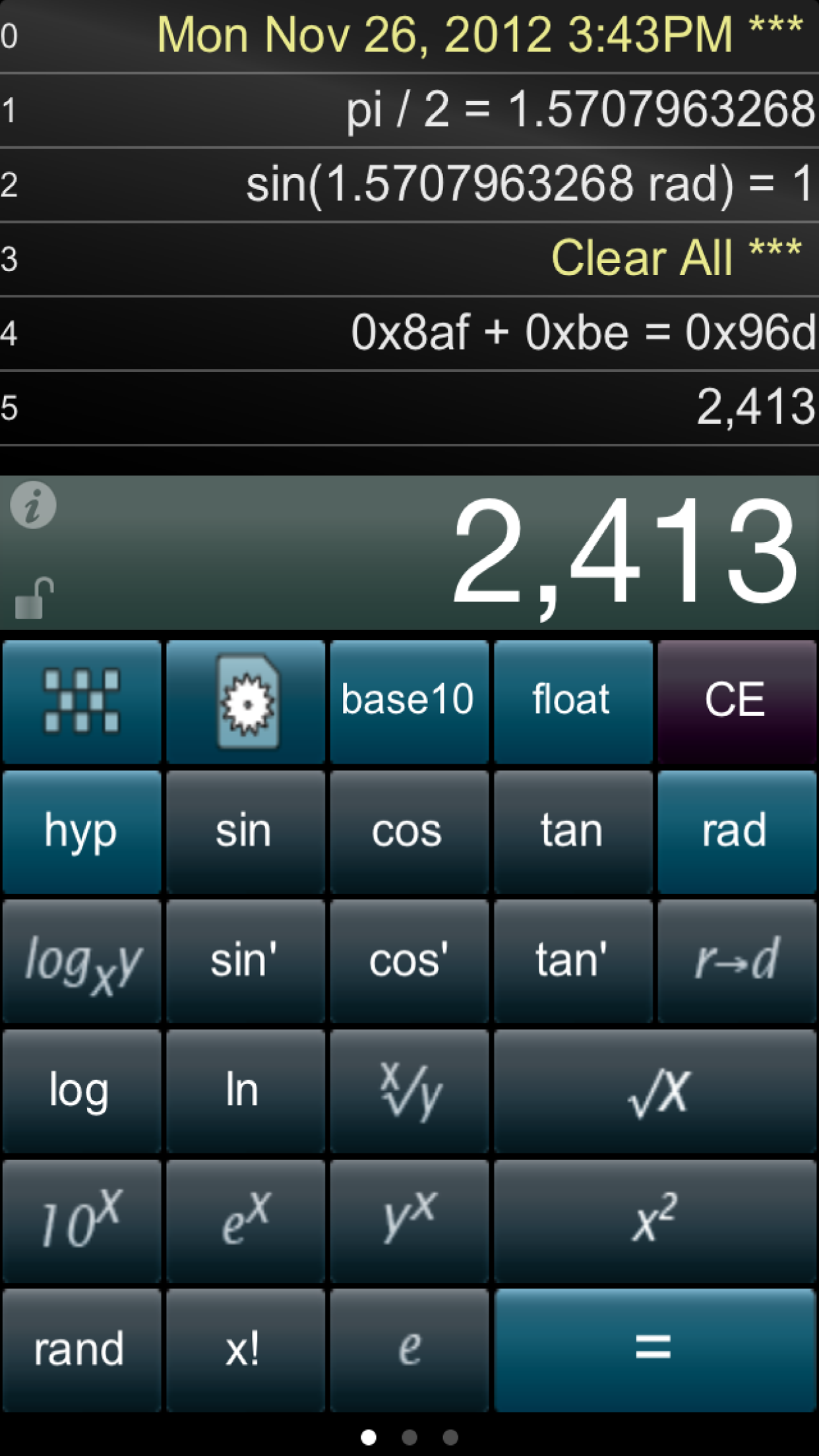
4.5Paper Calc for Coders is a decimal, hex, octal & binary conversion calculator that includes 25 trigonometric functions. Other features include a full screen view of the paper tape, two color schemes, 250 lines of EMAILable paper tape history, a re-sizable keyboard and more. Paper Calc Coder Specifications: ================ Please see the FAQ for left/right handed use of the base-conversion key. ► 250 line paper tape history . - PRINT (requires iOS4.2 & an AirPrint printer) . - EMAIL . - add comments . - timestamp ► Animated base 16, 8,and 2 keyboards for math, logical and shift operators (see FAQ below) ► Full-screen view of the paper tape (right-side scroll page) ► Two color schemes ► Grab a number on any line and bring it into the current calculation (better than RPN) ► Slide the numeric LCD to resize the keyboard ► Very fast powerOn - no waiting ► Create and save custom keyboards ► Three different display formats: . - floating point . - engineering (power to multiple of 3) . - fixed point (2 to 8 places) ► 10 individual memories with color indicators ► International number formatting (Settings -> General -> International -> Region Format -> select region) ► 25 scientific keys include all standard trig and hyperbolic functions, gamma (x!), y^x, x^2, sqrt, y^(1/x), 10^x, e^x, log, ln, logy/logx, e, pi, and random number. Trigonometric domains include both radians and degrees, or, convert between them. ================ FAQ: Q1. How do I create my own custom keyboards? A1. Touch the keyboard icon to go into Keyboard Edit Mode. Touch keys to make it any one of three different key sizes (space must be available to the right for a double-size key). Hold and move a key to reposition it. Hit the left wall with a key to blast it through to the Trig keyboard. Press "Cust 1,2,3" to Save. Press Again to Rename the button. Touch the left-side black box to exit Keyboard Edit Mode. Q2. How do I use the Base Conversion key? A2. Follow these guidelines: ► Tap the base conversion key to rotate among Decimal, Hex, Octal, & Binary keyboards, or, hold down on the key to select from a menu of the four. ► Right-handers should hold down on the right side of the base conversion key. Left-handers on the left. The menu will pop up on the left or right side appropriately. ► Select the 'D2' (Default 2) keyboard if you do not want the base conversion key on your main keyboard. Q3. How do I use the % key? A3. There are two ways to use the % key: ► 1st: Obtain the % of number: Press '200 % 5 ='. Answer will be '10'. PaperCalc took 5% of 200. ► 2nd: The % of a number is used in the operation on the number: Press: '200 - 5 % ='. Answer will be '190'. PaperCalc subtracted 5% of 200 from 200. Q4. How do I access and use the 10 memory locations? A4. Press the 'mem' button first. Then select one of the yellow keys (clear, store, recall, add, sub). Finally, press the memory location (0-9 buttons) to operate on. =============================== TERMS AND CONDITIONS Your use of this application is governed by Interlocken Technology's Terms of Use (http://InterlockenTechnology.com/InterlockenPrivacyPolicy/InterlockenTechnologyTermsOfUse.pdf) and Privacy Policy (http://InterlockenTechnology.com/InterlockenPrivacyPolicy/Interlocken Technology Privacy Policy.pdf)