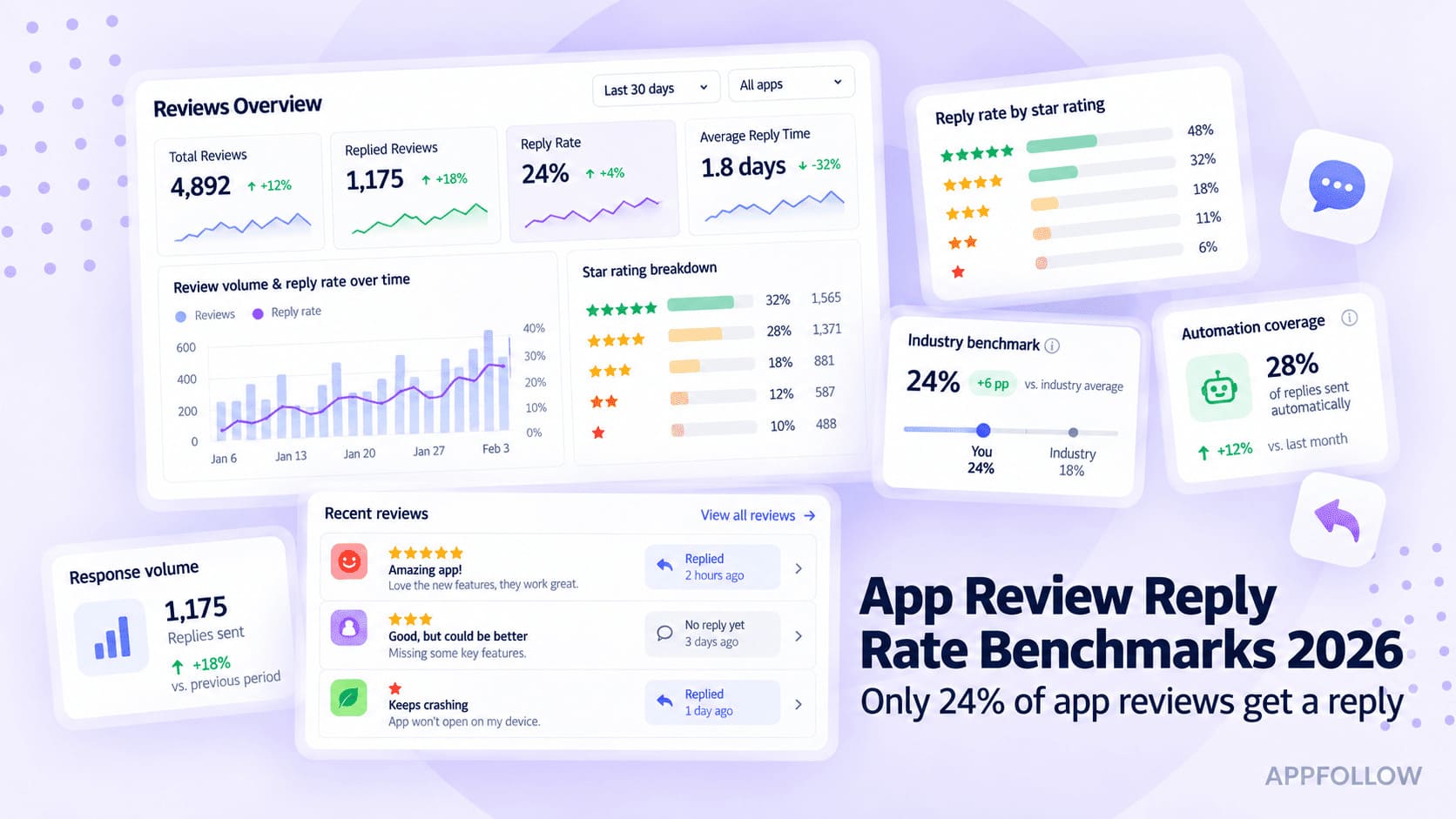
Ratings & Reviews performance provides an overview of what users think of your app. Here are the key metrics to help you identify how your app is rated by users and how successful is your review management strategy.
 4.0
4.0Write better. Get answers. Type a lot less. Auri is a keyboard with an assistant inside, so you can speak, write, fix, translate, and ask in any app. Hi, I'm Auri. Tell me what you want to say or do, and I'll help right where you type. Rated 4.7 and used by 250,000+ people. ► IN YOUR KEYBOARD, IN ANY APP - Say it with voice dictation (industry-leading accuracy with a 1.1% word error rate). Tap the mic and talk the way you talk. I drop the filler, keep what you meant, and type it clean. Change your mind mid-sentence; I follow. Pick how it lands: Raw, Clean, Concise, Casual, or Professional. - Fix it in one tap. Grammar, spelling, and punctuation in any language. Paraphrase in 22 styles, from Concise to Business Email to Persuasive, or describe your own. Translate into 31 languages as you type. Continue a sentence, or give me the topic and I'll write the draft. - Ask me without leaving the app. Tap my key and ask about your text, your schedule, or anything at all. - Let me do it. From the keyboard or the app, I can add a calendar event, set a reminder, look up a contact, find places near you, search and send Gmail, and read or update a Notion page. I show you what I'm about to do and wait for your Confirm. Every source is yours to allow or turn off in Settings. - Still a full keyboard. Swipe typing, 83 languages, every layout: QWERTY, QWERTZ, QZERTY, AZERTY, Colemak, Dvorak, 30 themes, a keyboard clipboard for the things you type often, and a vocabulary that learns your names. ► OPEN AURI WHEN IT NEEDS MORE ROOM - Chat with four engines and 20 personas. Auto picks for you. Fast is for everyday questions, Reasoning for the hard ones, and Visual answers as a screen you can explore: cards, comparisons, and steps you can tap. - Ask to check your email, update your Notion, find places, manage your calendar, or set reminders. - Hand me a PDF, a photo, or a scan and ask about it. - Ask for a PDF, a CSV, or an image and I'll create the file. - I remember what matters from one chat to the next, when you let me. Clear it any time. ► RECORD IT. GET THE NOTES. - Record a meeting, a lecture, or a thought on a walk. Import an audio or video file, paste a YouTube link, or scan a PDF. I transcribe it perfectly in 58 languages with speaker labels, then turn it into meeting notes, a summary, a checklist, a blog post, an essay, or a translation. Everything lands in your Library, next to your notes, where you can ask me about any of it. - Write notes in Markdown with headings, checklists, tables, and images. Dictate into them. Export as PDF, DOCX, Markdown, and more. ► ON YOUR WATCH AND YOUR MAC Ask me from your wrist, record voice notes, or dictate on Apple Watch straight into your iPhone keyboard or your Mac with Auri Voice. The Auri app on Mac carries your chats and Library. Words you add once follow you across every device. ► YOUR WORDS STAY YOURS I'm privacy-first by design. I don't collect what you type or say. I never appear in password or card fields. Notes and chats are encrypted in your own iCloud, requests carry no personal identifiers, and nothing is used to train AI models. Your calendar, mail, location, and Health are read only when you allow it, and only for the request you made. ► FREE TO START. PRO WHEN YOU WANT NO LIMITS. The free plan gives you the full keyboard with 83 languages, swipe typing, dictation, writing tools (writing, translation, paraphrasing, grammar check), chat (Fast, Reasoning, Visual), and state-of-the-art transcription, counted by minutes and daily uses. Auri Pro stops counting and unlocks unlimited usage, adds every keyboard theme, layout, and every translation language. One subscription for iPhone, iPad, Mac, and Apple Watch. Questions? Write to me at hi@auri.ai or open Need Help in Settings. Privacy Policy: https://auri.ai/privacy Terms of Use: https://auri.ai/terms