Ratings & Reviews performance provides an overview of what users think of your app. Here are the key metrics to help you identify how your app is rated by users and how successful is your review management strategy.
 5.0
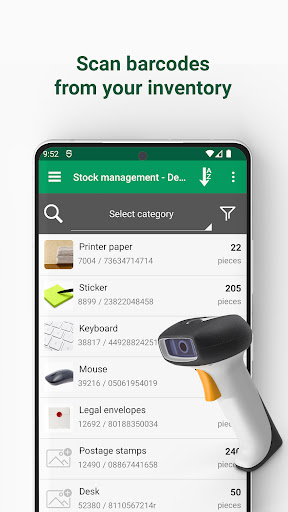
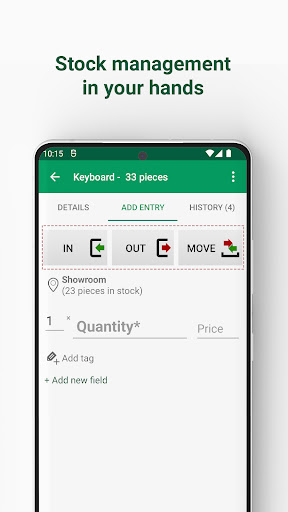
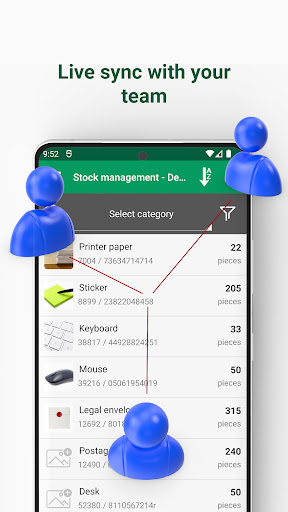
5.0Inventory app for fast stock counts, barcode scanning, and offline warehouse tracking. Mobile Inventory helps you scan items, manage SKUs, and keep quantities accurate across multiple warehouses and locations - even offline. Trusted by 15,000+ monthly users for daily stock control, audits, and quick checks. Who it's for: warehouses, retail, pharmacies, restaurants, manufacturing, labs, and e-commerce. Use it as a stocktaking app, stock management app, a stock checker, or a catalog tool. Teams can sync stock in real time to keep everyone aligned. What you can do Start stock counts - cycle counts or full stocktaking with barcode scans Track quantities across warehouses - bins, rooms, stores, or sites with location history Move stock - transfers between locations with audit trails Catch issues early - low-stock notifications, expiry and lot tracking, discrepancy checks Share with your team - real-time sync so everyone sees the same numbers Core features Offline mode - count stock without internet, then sync when online Barcode and QR scanning - camera or Bluetooth scanner Supported symbologies - EAN-13, EAN-8, UPC, Code 39, Code 128, QR, Data Matrix Smart search and filters - find by name, SKU, tags, location, or custom fields Unlimited items and locations Excel/CSV import and export - bulk import products and export reports to Excel, CSV, or PDF Custom fields and tags - text, number, date, barcode, yes/no, image, dropdown History log and audit trails - see every change, including edits and deletes No ads and automatic local backups Advanced features Real-time team sync across phones and tablets Low-stock notifications and expiration alerts External scanner support via Bluetooth HID Cloud backups and Google Drive sync Web dashboard - view and export data from a desktop browser Role-based permissions - control what each user can do NFC write and read - tap to identify products instantly Typical workflows Receiving - scan incoming items into the right location Picking and packing - verify items by barcode before shipping Adjustments - correct counts after audits or returns with reason codes Transfers - move stock between warehouses or rooms with traceability Why offline matters Counting in back rooms, warehouses, or remote sites often means spotty connectivity. Mobile Inventory records every scan locally and keeps you working. When a connection is available, changes sync automatically. Privacy and reliability Your data remains yours - export anytime to Excel, CSV, or PDF Daily backups and detailed change history help prevent data loss Get started in minutes Create an inventory and locations Import or add products with SKUs and barcodes Start a stock count and scan items to update quantities Mobile Inventory is a reliable app for daily operations, cycle counts, and full stocktaking. Whether you need to sync stock with a team or run a quick stock check offline, it is built to be fast, flexible, and easy to use. Questions or feedback - contact support@mobileinventory.net. We ship improvements and new features every month.