Ratings & Reviews performance provides an overview of what users think of your app. Here are the key metrics to help you identify how your app is rated by users and how successful is your review management strategy.
 4.0
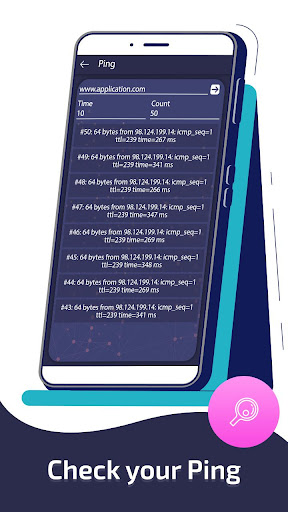
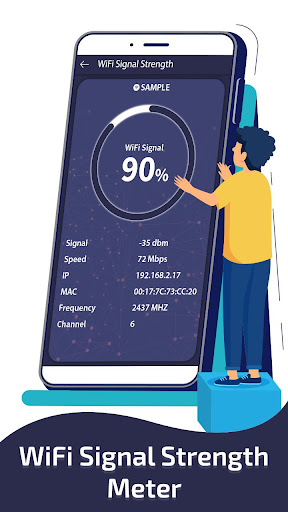
4.0IP Tools – Router Admin Setup & Network Utilities All-in-One Network Toolbox for Fast & Easy Network Management Description: IP Tools – Router Admin Setup & Network Utilities is a comprehensive and powerful network toolkit designed to help you diagnose, manage, and optimize your network with ease. Whether you are a network professional, IT admin, or a tech-savvy user, this app provides all the essential tools to monitor and troubleshoot your network effectively. Easily detect network problems, check IP addresses, analyze WiFi signals, and configure your router settings in one place. Perfect for home users, network engineers, and IT support teams who need quick, reliable network insights and solutions on the go. Key Features & Tools: IP Information: Instantly get detailed info including your external IP, local IP, MAC address, DNS servers, gateway, server location, coordinates, and broadcast address. Whois Lookup: Discover the registered owner of any domain name quickly. Ping Tool: Test the connectivity and response time between your device and a server to measure network latency. Traceroute: Track the route packets take to reach a destination and identify slow or broken links. Port Scanner: Scan and detect open ports on your network or devices for security audits. WiFi Scanner: View all nearby WiFi networks with detailed information like signal strength and channel. LAN Scanner: See all devices connected to your network (ideal to check “Who’s using my WiFi”). DNS Lookup: Find the IP addresses associated with domain names to troubleshoot DNS issues. IP Calculator: Calculate network parameters such as subnet mask, broadcast address, host range based on any IP address. IP-Host Converter: Convert domain names to IP addresses and vice versa for easy network mapping. Router Admin Setup: Easily access and configure your router admin panel using common IPs (192.168.1.1, 192.168.0.1) to manage settings like WiFi password, DHCP, firewall, and more. WiFi Signal Strength Meter: Real-time measurement of your current WiFi signal and surrounding networks to optimize coverage. Why Choose IP Tools – Router Admin Setup & Network Utilities? Simple and intuitive interface designed for both beginners and pros. Lightning-fast network diagnostics and real-time monitoring. Comprehensive toolset covering every aspect of network setup, security, and troubleshooting. Keep your network secure by monitoring connected devices and open ports. Optimize your WiFi network by analyzing signal strength and available channels. Save time configuring and managing your router without complicated steps. Ideal for: Home users who want to monitor and secure their WiFi network. IT professionals needing reliable network diagnostics on the go. Network admins managing multiple devices and configurations. Anyone who wants to improve internet speed, connectivity, and security. Download IP Tools – Router Admin Setup & Network Utilities now and take full control of your network like a pro!