Ratings & Reviews performance provides an overview of what users think of your app. Here are the key metrics to help you identify how your app is rated by users and how successful is your review management strategy.
 3.2
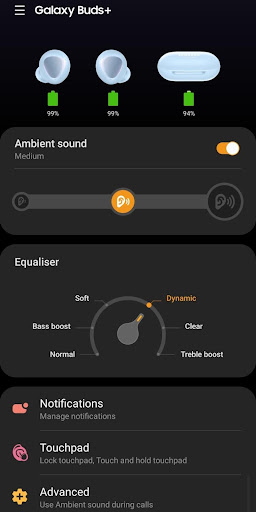
3.2The Galaxy Buds+ Manager allows you to use features such as device settings and status view when connected to a Galaxy Buds+ device. This application does not work alone because this is a component of the Galaxy Wearable application. The Galaxy Wearable application has to be installed first for the Galaxy Buds+ Manager application to operate normally. ※ Please allow the permissions of the Galaxy Buds+ Manager in Android Settings to use all the features in Android 6.0 or later. Settings > Applications > Galaxy Buds+ Manager > Permissions ※ Access rights information The following permissions are required for the app service. For optional permissions, the default functionality of the service is turned on, but not allowed. [Required Permissions] - Nearby devices : Purpose for confirming to search Buds Devices [Optional Permissions] - Phone : Purpose for confirming Contacts information for voice notification function - Contacts : Purpose for confirming Contacts information for voice notification function - SMS: Purpose for confirming SMS contents for voice notification - Calendar : Purpose for checking Calendar information for using voice notification function - Call logs : Purpose for confirming Call logs information for voice notification function - Notifications : Purpose for confirming voice notification function - Files and Media: (Android 12) Used to update earbuds software and save log files - Storage: (Android 11 or lower) Used to update earbuds software and save log files If your system software version is lower than Android 6.0, please update the software to configure App permissions. Previously allowed permissions can be reset on Apps menu in device settings after software update.





![How to measure customer sentiment for app reviews [7 metrics]](https://cdn.appfollow.io/blog/static/appfollow_1335e02d-b0b3-49f7-9eb6-94171dc7e379.jpg)