


Ratings & Reviews performance provides an overview of what users think of your app. Here are the key metrics to help you identify how your app is rated by users and how successful is your review management strategy.
 4.1
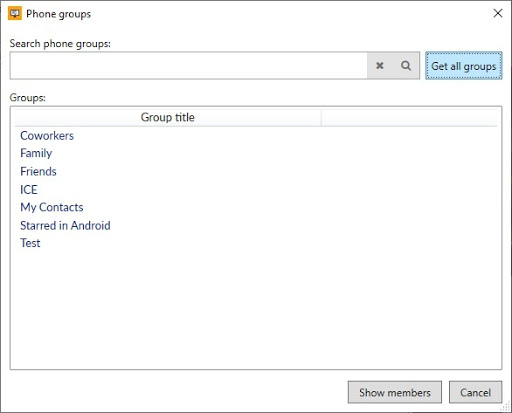
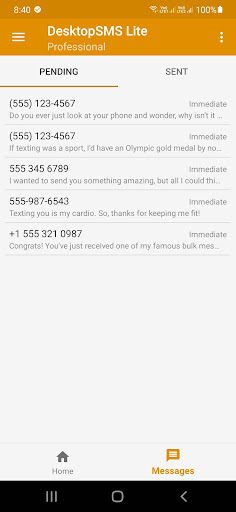
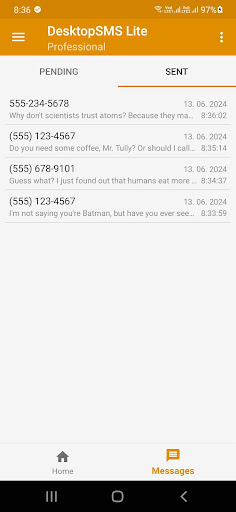
4.1DesktopSMS enables you to link your Android phone with your Windows PC, allowing you to synchronize and send SMS messages directly from your computer using your Android device. With our native Windows application, you can browse existing conversations and SMS/MMS messages, and comfortably compose and send messages using your computer keyboard. Effortlessly search your phone contacts from your desktop and initiate new conversations. You can also view recent call logs to quickly text friends or colleagues who have recently called you. Need to send group messages? DesktopSMS makes it easy. Simply select contacts or contact groups from your Android device, or copy and paste a list of contacts from your clipboard. A message queue capable of processing bulk messages even if the client disconnects after enqueuing them. This functionality ensures that all messages are reliably stored and processed, maintaining seamless communication and data integrity regardless of the client's connection status. With this feature, you can be sure that your bulk messages will be handled and delivered to their intended recipients without interruption. Key features include support for dual SIM phones, connections via Wi-Fi, Bluetooth, or USB cable. No need for online registration or internet connection - everything operates locally and anonymously. Enjoy native Windows toast notifications for new SMS/MMS messages, with full support for viewing and saving MMS. -------- IMPORTANT: To fully utilize this application, you must download the DesktopSMS Client for Windows/PC from DesktopSMS (https://www.desktopsms.net) for free. How do I start? --- 1) Download DesktopSMS Lite from Google Play on the Android device you want to connect. 2) Download and install the latest DesktopSMS Client on your Windows PC. 3) Launch DesktopSMS Lite on your Android device and use the DesktopSMS Client on your PC to pair with your Android device. 4) Your conversations and SMS/MMS messages will start synchronizing with the desktop application. 5) Begin messaging comfortably from your desktop! 6) All messages sent will be delivered via your phone and stored in your phone’s conversation history. What does 'Lite' mean? --- DesktopSMS Lite integrates with your default Android SMS messenger to provide SMS and MMS synchronization with the DesktopSMS Client on Windows. It is not a standalone messenger, which is why it's called Lite. Due to Android system design, only the default SMS messenger can modify the messaging store. This means you can't delete messages or mark them as read from the Lite version, although we aim to offer these features in the future! Do I need to create online account to use this application? --- No, your devices connect locally without using any cloud services.






![How to measure customer sentiment for app reviews [7 metrics]](https://cdn.appfollow.io/blog/static/appfollow_1335e02d-b0b3-49f7-9eb6-94171dc7e379.jpg)